If you already use git format-patch, SharePatch gives you a cleaner way to review the result in the browser.
SharePatch is a browser-based patch viewer and patch-sharing tool for unified diffs, mailing-list patch emails, and git format-patch output. It can accept pasted patch text, uploaded .patch files, mailbox-style patch series, and raw patch URLs, then render them as structured browser diffs with unlisted shareable links.
Why use SharePatch for git format-patch output?
git format-patch already gives you the right patch format. SharePatch is useful after that point, when you want a browser view that keeps the email-style metadata visible while rendering the diff as normal changed files.
That is especially useful when you want a quick review pass before sharing a patch or sending a series.
For git format-patch workflows, SharePatch can:
- accept single
.patchfiles and mailbox-style series files - preserve subject, author, recipients, and series metadata when present
- show the commit message separately from the diff
- render file-by-file changes in side-by-side or line-by-line browser views
- create an unlisted patch URL you can send to reviewers
Common git format-patch commands
Single patch to stdout
git format-patch --stdout -1 HEAD > latest.patchThis is a good default when you want one patch file that you can upload or inspect directly.
A patch series in mailbox form
git format-patch --stdout -3 HEAD > series.mboxIndividual patch files
git format-patch -3 HEADHow to open format-patch output in SharePatch
Upload a local patch file
- Open SharePatch.
- Enter a patch name.
- Switch to Upload and edit.
- Select the generated
.patchor.mboxfile. - Complete the human check and submit.
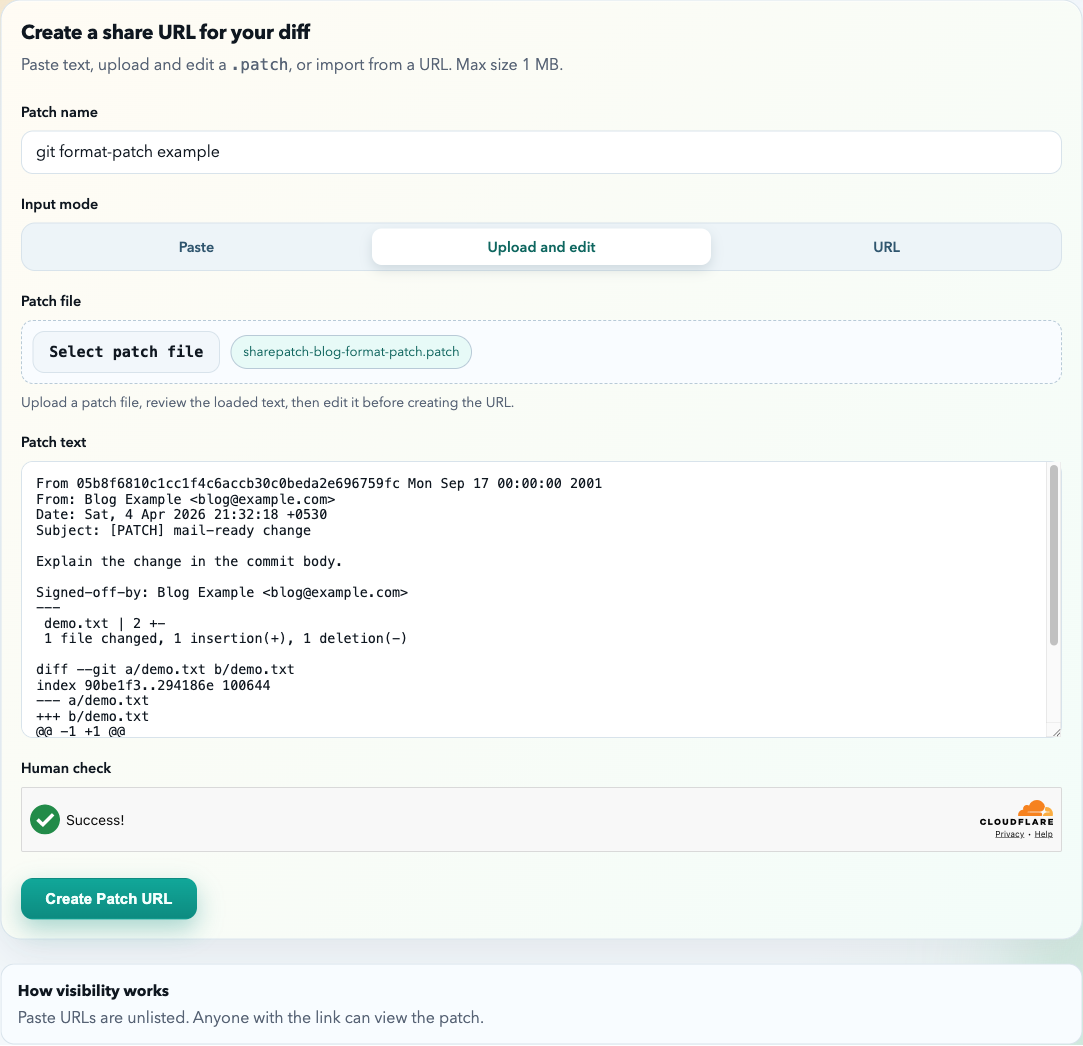
Paste the output directly
git format-patch --stdout -1 HEAD | pbcopyImport by URL
If the patch file already exists at a raw URL, import it with URL.
What SharePatch shows for git format-patch emails
On the resulting patch page, SharePatch can surface:
- subject
- author
- recipients when present
- series information for patch sets
- commit message text
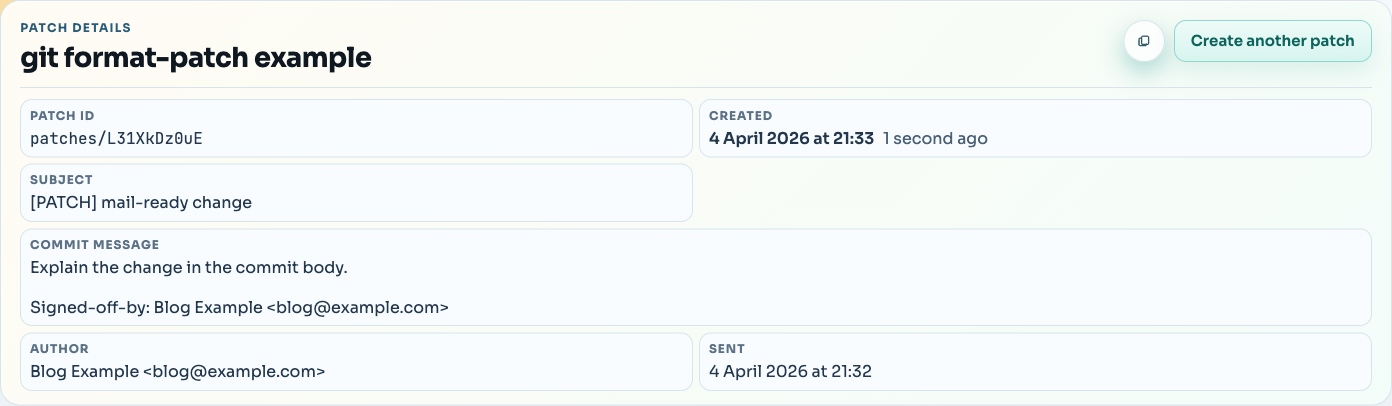
Review the formatted patch in the browser
Once the metadata looks right, review the rendered diff normally.
That makes SharePatch useful both as a git format-patch viewer and as a simple patch-sharing layer before you send the patch somewhere else.
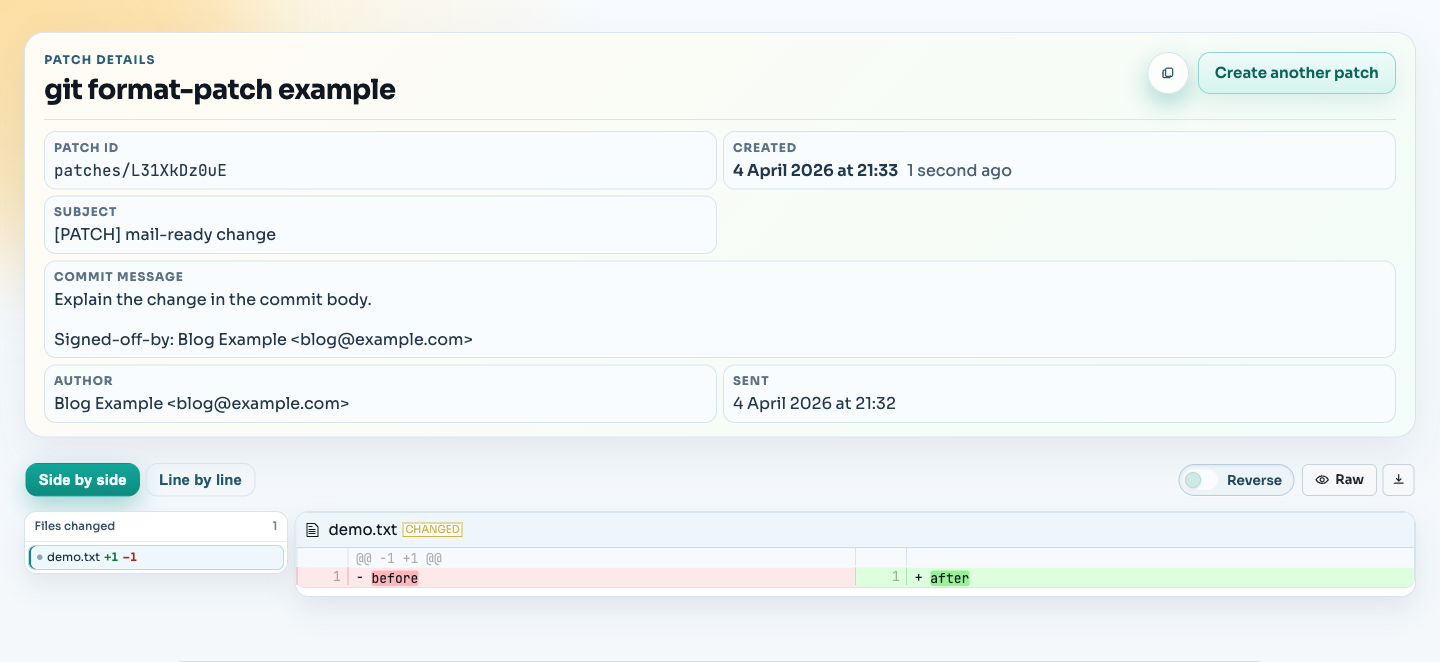
Common mistakes to avoid
Generating the patch and then stripping the email structure
SharePatch can work with the email-style output directly.
Forgetting that series output is different from a single patch
git format-patch --stdout -3 HEAD produces a mailbox-style series, not just one larger diff. Treat it as a series when reviewing.