If you already have a git diff and mostly want a clean browser view, SharePatch already works well as a git diff viewer.
You can paste a unified diff, upload a local .diff or .patch file, or import one from a raw URL. From there, SharePatch renders the change in a structured browser view with file navigation, side-by-side and line-by-line modes, and quick access to the raw text when you need it.
What makes it useful as a diff viewer?
SharePatch gives you a few things that are awkward in a terminal and not always available in a raw text file:
- side-by-side and line-by-line diff modes
- a file list for jumping across changed files
- a reverse toggle for checking the diff from the opposite direction
- raw and download actions when you need the original text
If the goal is simply “open this git diff in a clean browser UI,” that is already a good fit.
Before you start
SharePatch expects a valid unified git diff. If you need to generate one locally, two common commands are:
git diff main...feature-branch > changes.diff
git diff HEAD~1 HEAD > latest.diff
Once you have the diff text or file, open SharePatch and choose the input mode that matches where your diff already lives.
Load your diff into SharePatch
Open SharePatch, give the diff a name, then choose the input mode that matches where it already lives.
- use Paste when the diff is already in your clipboard
- use Upload and edit when you have a local
.diffor.patchfile - use URL when the diff already exists at a raw HTTP endpoint
The creation step is intentionally simple. The main reason to use SharePatch here is what happens after submission: the browser diff viewer.
Review it in the browser
Once the diff opens, use the viewer the way you would use any dedicated review surface:
- jump across files from the left sidebar
- start with Side by side to scan the overall change
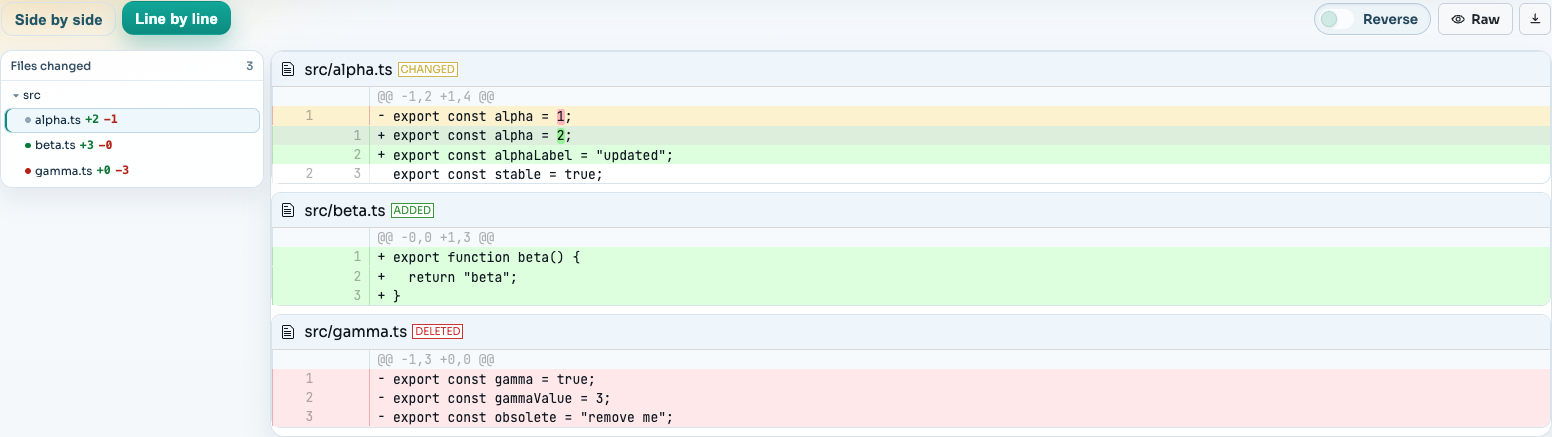
- switch to Line by line when you want tighter inspection
- use Reverse or Raw when you need a different reading mode
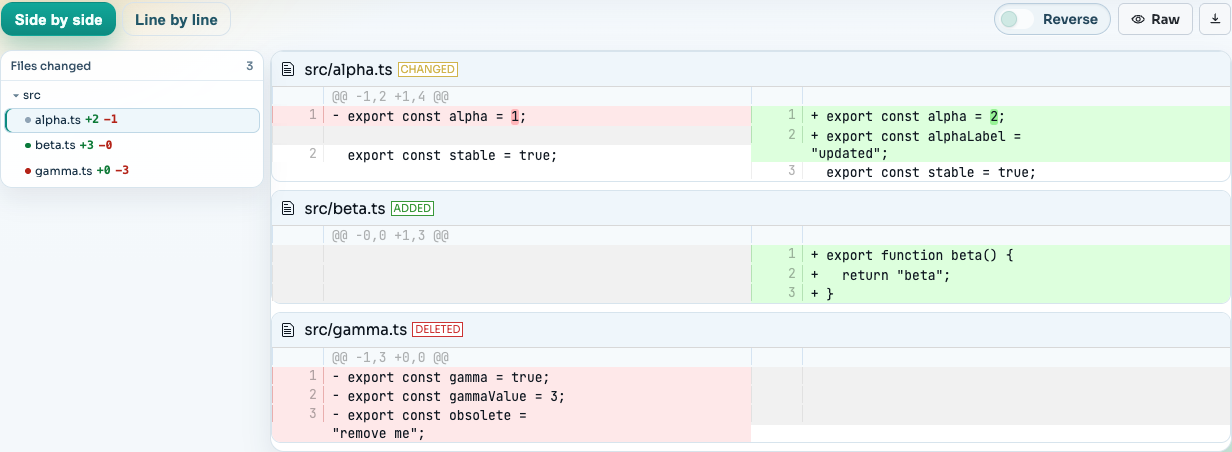
This is the part that matters most for the diff-viewer use case: SharePatch turns a raw git diff into something much easier to scan quickly in the browser.
When you need a tighter pass on the exact sequence of additions and deletions, switch to the line-by-line mode:
When this workflow is especially useful
SharePatch works well as a git diff viewer when you are:
- reviewing generated diffs from scripts or CI jobs
- opening a
.diffor.patchfile without reading raw text directly - checking a change in the browser before sending it to someone else
- sharing a clean diff view with people who are not inside the same code host
Recommended default workflow
If you are mainly using SharePatch as a diff viewer:
- export the diff locally
- use Upload and edit for the smoothest local flow
- review in Side by side first
- switch to Line by line for close inspection
- share the link only if you want a second set of eyes