If you already review patches from public mailing lists, SharePatch can turn the raw patch email into a cleaner browser review page.
SharePatch is a browser-based patch viewer and patch-sharing tool for Git diffs, mailing-list patch emails, and git format-patch output. It can import a raw patch URL, preserve email metadata, show the commit message separately from the diff, render file-by-file changes in the browser, and create an unlisted patch link you can share with reviewers.
What kind of mailing-list patch works?
Use the raw patch email, not the archive HTML page.
One concrete example is a Git mailing-list patch hosted on Lore:
https://lore.kernel.org/git/[email protected]/rawThe same flow works with any mailing-list archive that exposes the raw message text directly.
Why use SharePatch for mailing-list patches?
Raw patch emails are great for transport, but they are slow to scan when you are trying to answer simple review questions.
In SharePatch, that same patch can be easier to read because the patch page separates the email metadata from the diff. That makes it faster to understand:
- who sent the patch
- where it sits in a patch series
- who was included in review
- what the commit message is trying to do
- which files actually changed
For mailing-list patches, SharePatch can:
- import the raw patch email directly from a URL
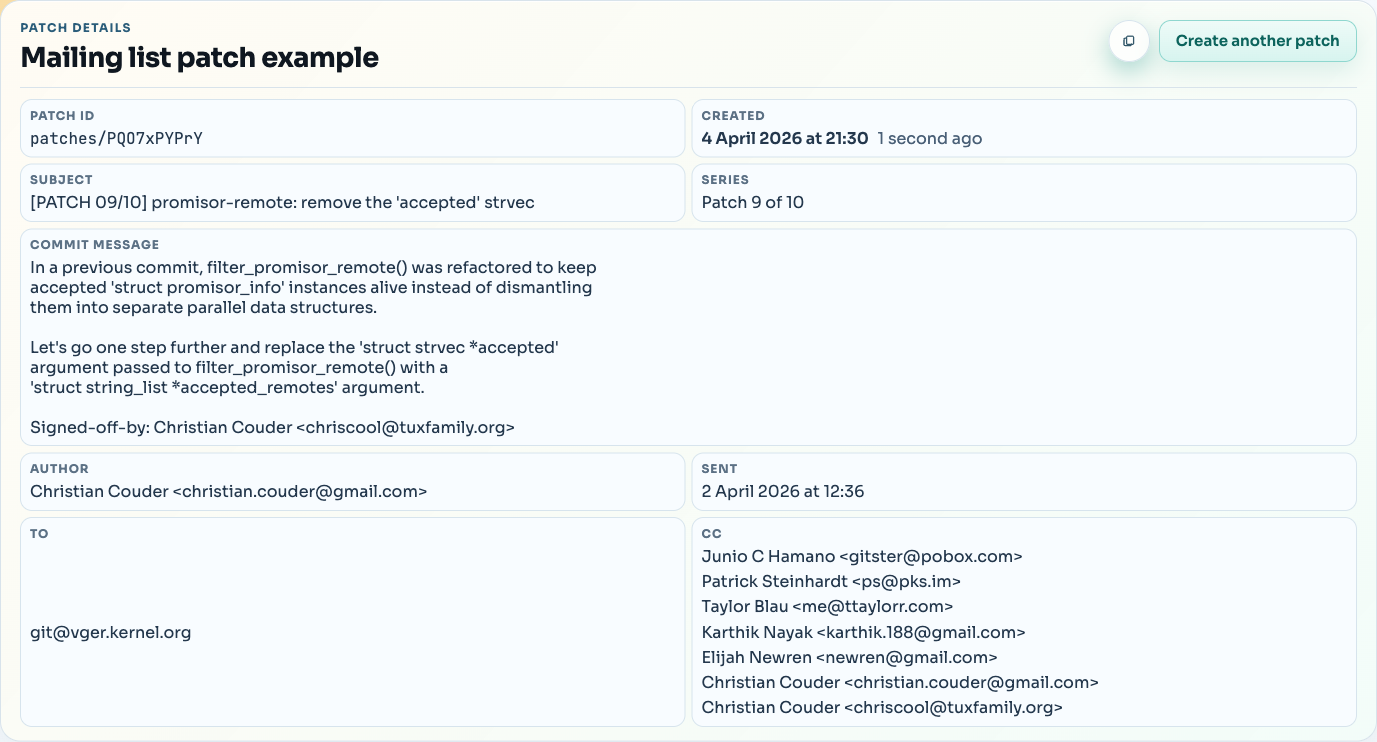
- display subject, author, recipients, sent date, and series position
- show the commit message above the diff
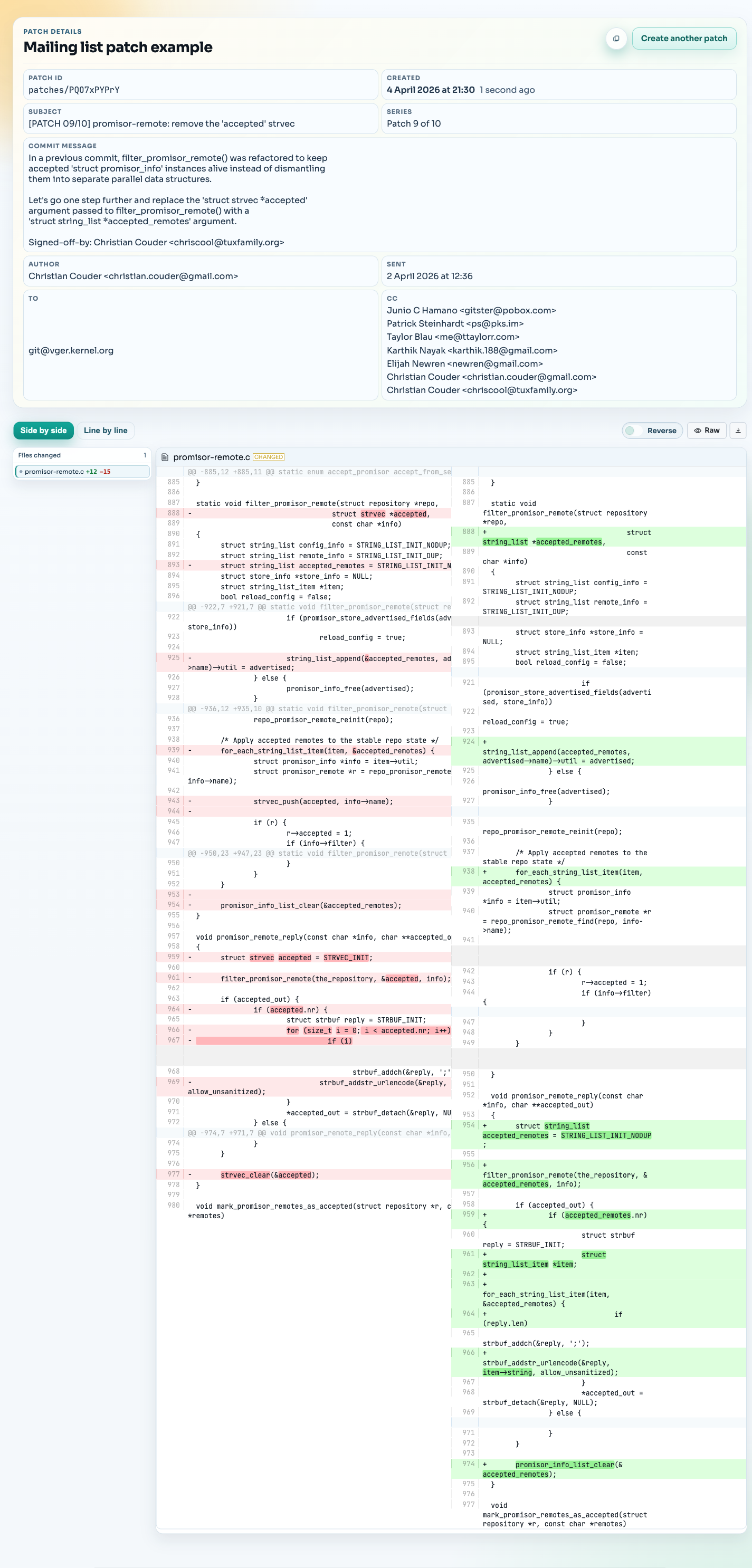
- render the patch as a browser diff with file navigation
- provide raw and download views alongside the formatted patch
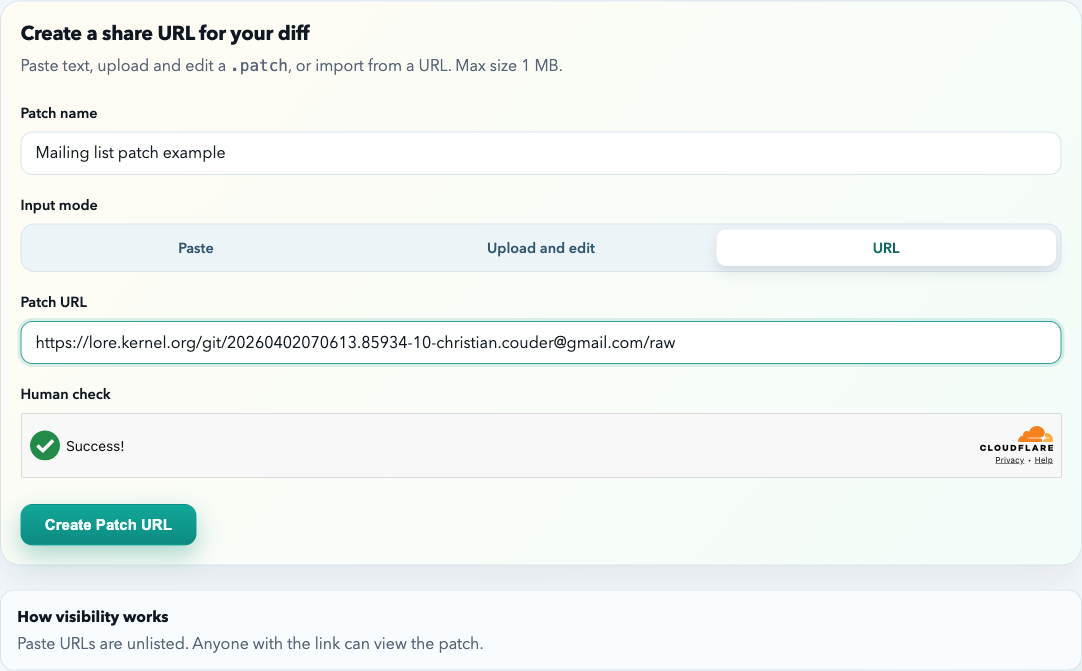
How to import a mailing-list patch by URL
- Open SharePatch.
- Enter a patch name.
- Switch the input mode to URL.
- Paste the raw mailing-list patch URL.
- Complete the human check and submit.
What SharePatch shows from the email
After import, the patch page separates the email metadata from the diff itself. For mailing-list patches, that usually means you can read the important context first:
- who sent this patch?
- which patch in the series is this?
- who was included in review?
- what is the commit message trying to change?
After that, move into the diff viewer to inspect the actual code changes.
Review the mailing-list patch as a browser diff
After that, review the rendered diff as you normally would in SharePatch. The source is still the original mailing-list email, but the reading experience is closer to a browser-based diff review.
That is the main value of SharePatch here: it keeps the original mailing-list patch format intact while making the patch easier to read, review, and share.
Common mistakes to avoid
Using the archive page instead of the raw message
Use the raw message endpoint whenever the archive provides one.
Assuming mailing-list patches must be converted first
If the source is already a valid raw patch email, use it as-is.