The painful part of reviewing a pushed update to a GitHub pull request is the extra rebase noise. A normal compare link can make already-reviewed code look new again, especially after the branch was rebased. SharePatch’s remove rebase noise button is built for that problem: it turns a PR URL and the latest pushed compare URL into a focused view of what actually changed in the latest update.
If you only need the pull request’s current raw changes, use the simpler workflow to download a GitHub PR as a .diff or .patch file. The workflow below is specifically for comparing two review snapshots after a new push.
For a concrete example, this post uses zulip/zulip#39182 and this last-push compare range:
https://github.com/zulip/zulip/compare/6b6de64b1857b37aec9d1bc3abf9042b666fdc4c..7ea580397e1eee2af393a33093bfb41bee3b0a69That compare range is useful, but it can still be noisy. SharePatch uses it together with the PR URL to create a cleaner review link.
Start from the homepage
On the SharePatch homepage, click remove rebase noise in the input-mode selector. The form switches in place and asks for two inputs:
- the pull request URL
- the latest pushed compare URL
For the Zulip example, the PR URL is https://github.com/zulip/zulip/pull/39182, and the compare URL is the 6b6de64...7ea5803 range from the latest push.
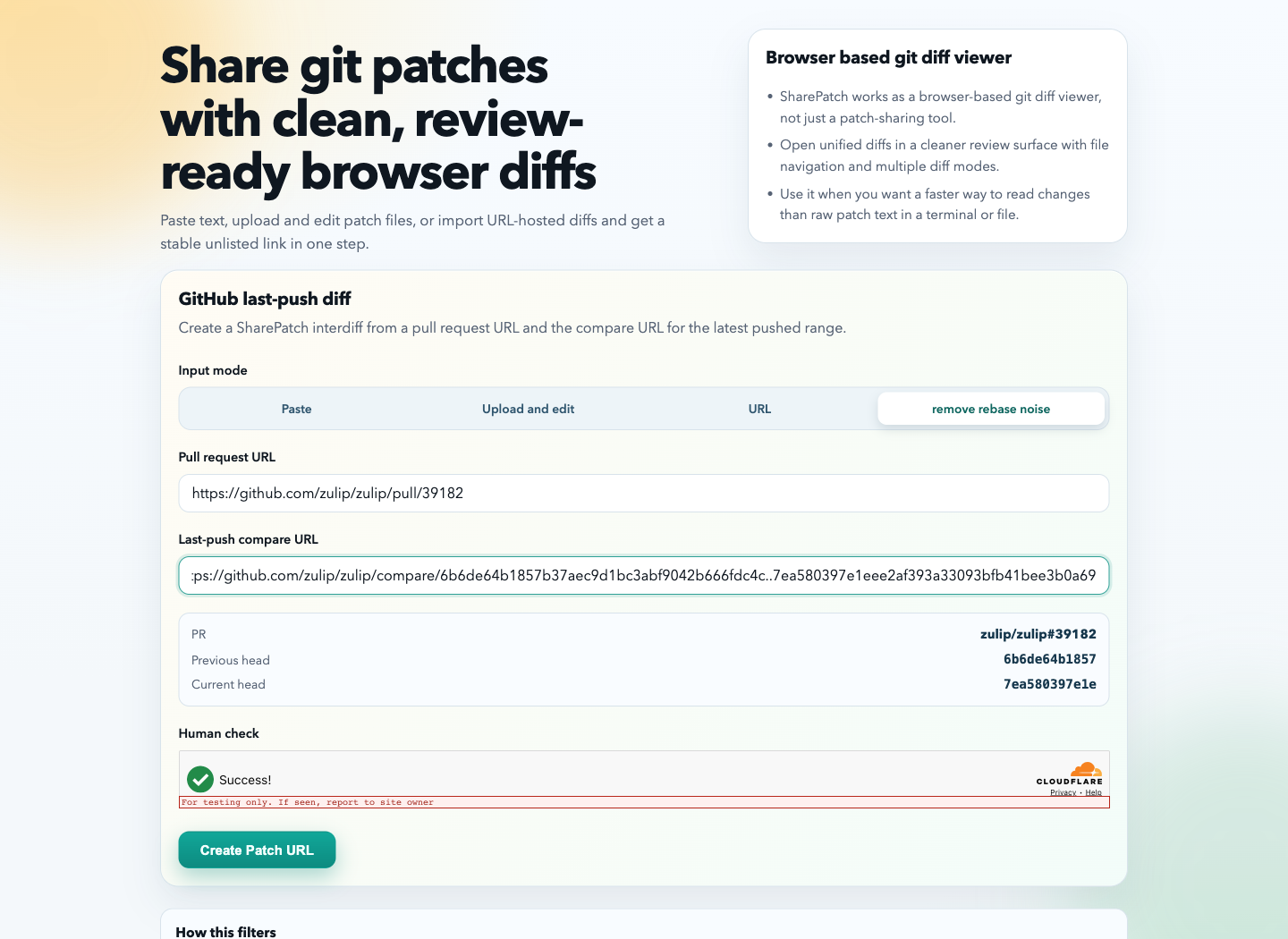
Once both URLs are entered, SharePatch shows a quick summary of the PR and the before/after commits.
Why this is better than a raw compare link
A raw GitHub compare link answers “what changed between these two commits?” That can be too broad for review.
The remove rebase noise workflow answers the question reviewers usually care about:
What is different between the PR diff I already reviewed and the PR diff after the latest push?
In this Zulip example, the full current PR diff is about 25.6 KB across 15 files. The SharePatch result is about 13.3 KB across 8 files. That means less repeated context and a smaller review target.
Review the focused diff
After CAPTCHA completes, click Create Patch URL. The resulting SharePatch page looks like any other SharePatch review page, but the diff is focused on the latest PR update.
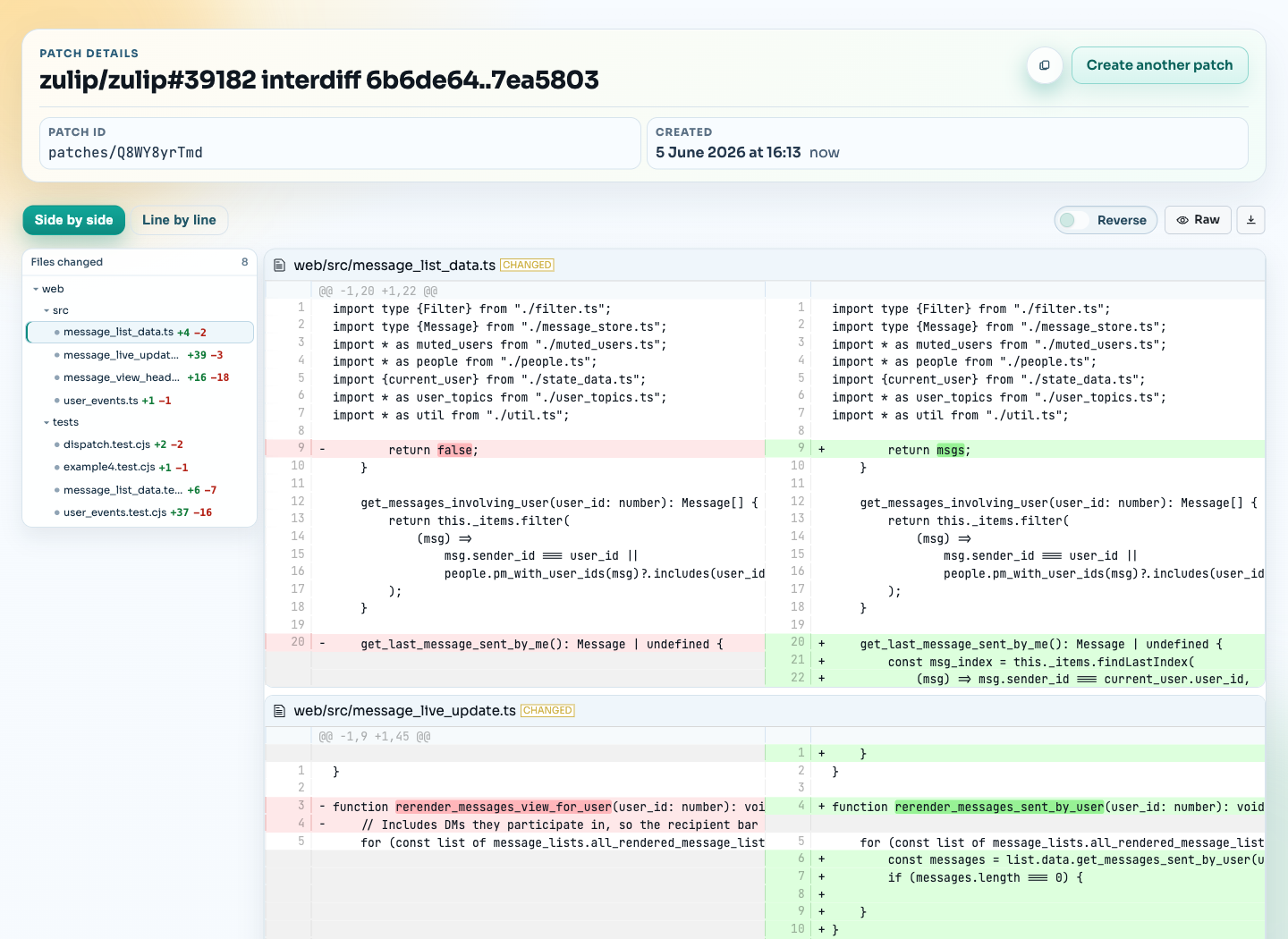
This is the useful part for review: the sidebar shows fewer files, and the main diff focuses on the new update instead of making the reviewer sort through the full PR again.
When this helps
This workflow is useful when:
- a PR was rebased and the ordinary compare view is noisy
- a reviewer asks what changed since their last pass
- a contributor wants to send a focused follow-up diff in chat
It is especially helpful on projects where contributors regularly rebase before pushing fixes. The reviewer gets a clean “what changed since my last review?” view instead of a raw commit-to-commit view.