If you already review patches from public mailing lists, SharePatch can turn the raw patch email into a cleaner browser review page.
SharePatch is a browser-based patch viewer and patch-sharing tool for Git diffs, mailing-list patch emails, and git format-patch output. It can import a raw patch URL, preserve email metadata, show the commit message separately from the diff, render file-by-file changes in the browser, and create an unlisted patch link you can share with reviewers.
What kind of mailing-list patch works?
Use the raw patch email, not the archive HTML page.
One concrete example is a Git mailing-list patch hosted on Lore:
https://lore.kernel.org/git/[email protected]/rawThe same flow works with any mailing-list archive that exposes the raw message text directly.
A raw mailing-list patch usually contains RFC 2822-style email headers, a commit message, and a unified diff in one text response. That differs from an archive page, which is HTML meant for people and often contains navigation, thread context, and reply controls instead of an applyable patch.
Why use SharePatch for mailing-list patches?
Raw patch emails are great for transport, but they are slow to scan when you are trying to answer simple review questions.
In SharePatch, that same patch can be easier to read because the patch page separates the email metadata from the diff. That makes it faster to understand:
- who sent the patch
- where it sits in a patch series
- who was included in review
- what the commit message is trying to do
- which files actually changed
For mailing-list patches, SharePatch can:
- import the raw patch email directly from a URL
- display subject, author, recipients, sent date, and series position
- show the commit message above the diff
- render the patch as a browser diff with file navigation
- provide raw and download views alongside the formatted patch
How to import a mailing-list patch by URL
- Open SharePatch.
- Enter a patch name.
- Switch the input mode to URL.
- Paste the raw mailing-list patch URL.
- Complete the human check and submit.
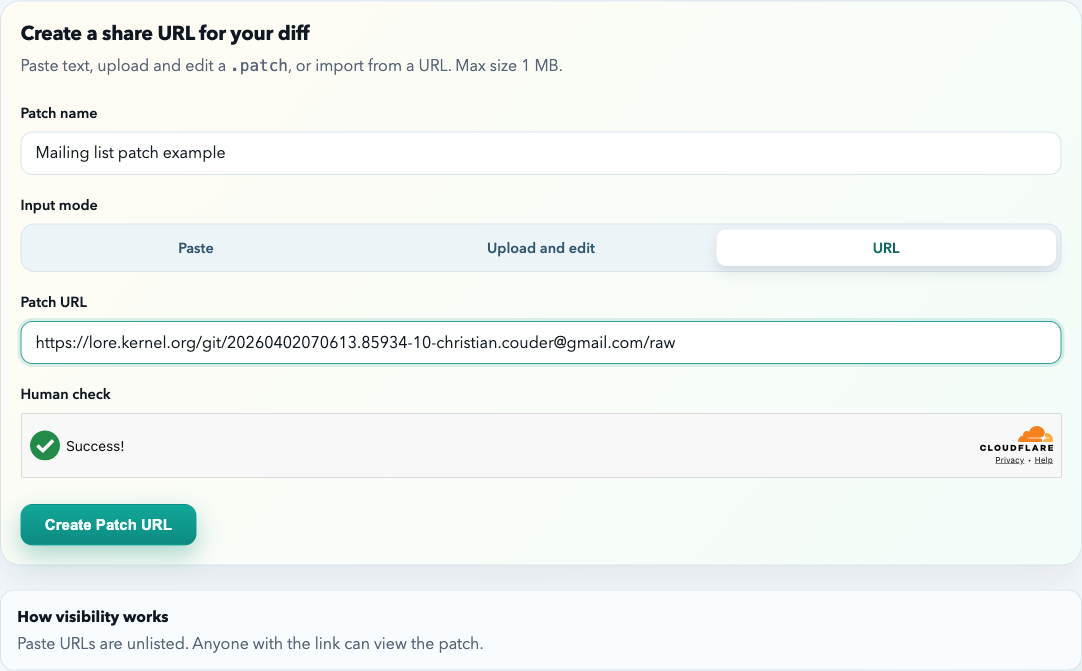
Before importing, you can verify that the endpoint really returns patch text:
curl --fail-with-body -L \
  'https://lore.kernel.org/git/[email protected]/raw' \
  | head -n 20
Look for headers such as From, Date, and Subject, followed later by diff markers such as diff --git, ---, and +++. If the response starts with HTML, return to the archive and find its raw-message link.
What SharePatch shows from the email
After import, the patch page separates the email metadata from the diff itself. For mailing-list patches, that usually means you can read the important context first:
- who sent this patch?
- which patch in the series is this?
- who was included in review?
- what is the commit message trying to change?
After that, move into the diff viewer to inspect the actual code changes.
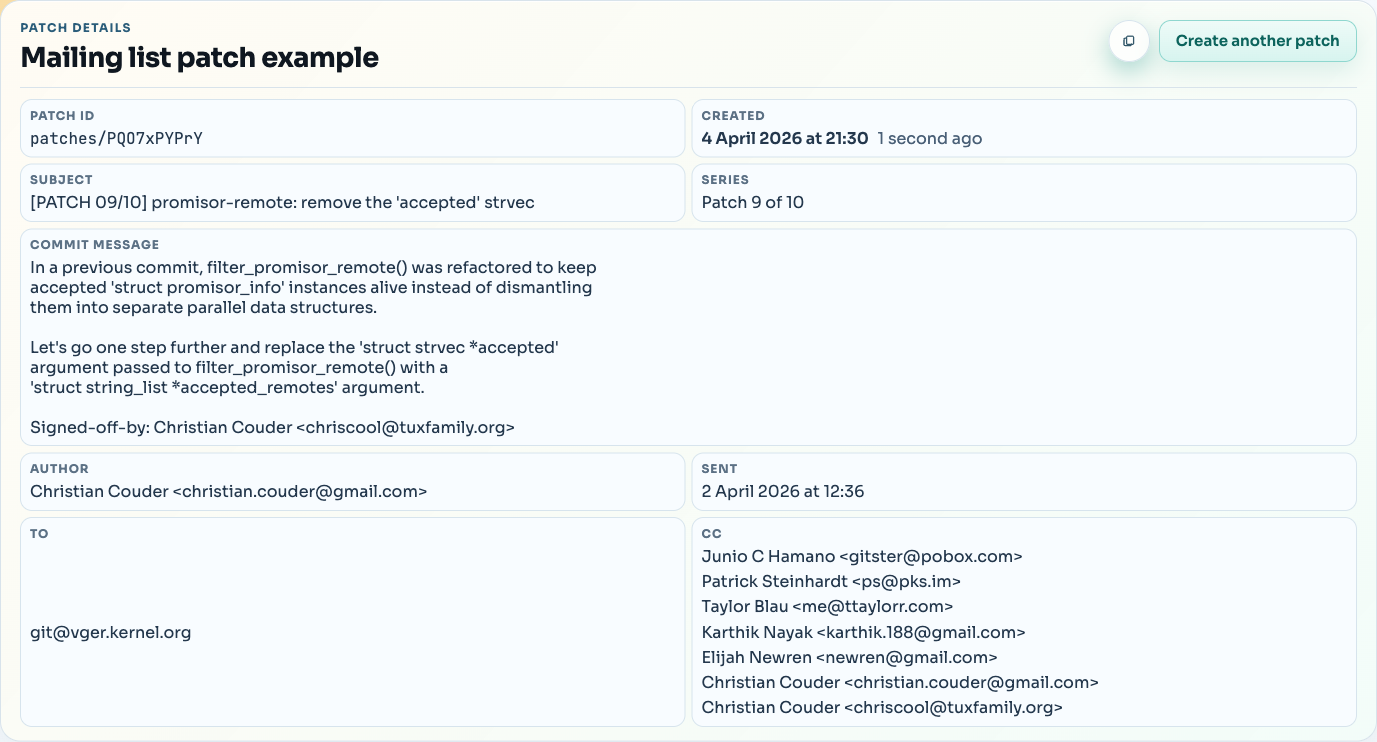
Review the mailing-list patch as a browser diff
After that, review the rendered diff as you normally would in SharePatch. The source is still the original mailing-list email, but the reading experience is closer to a browser-based diff review.
That is the main value of SharePatch here: it keeps the original mailing-list patch format intact while making the patch easier to read, review, and share.
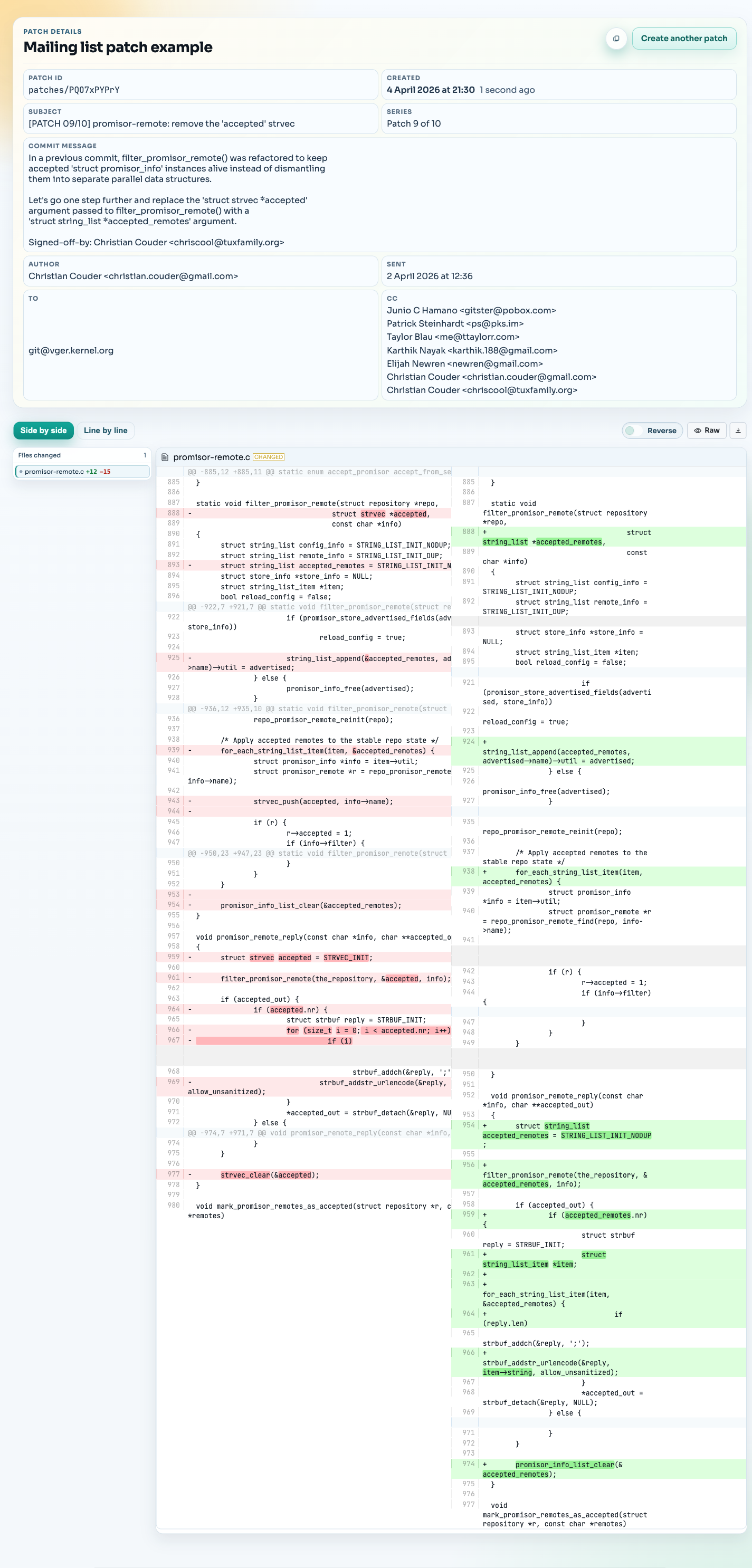
Review a patch series in the right order
Mailing-list contributions often arrive as a numbered series. A subject such as [PATCH 03/10] means the message is the third patch in a ten-patch series. Start with the cover letter when one exists, then review each patch in sequence because later patches may depend on earlier changes.
SharePatch displays the series position from the subject so a reviewer can see where one message belongs. Keep the mailing-list thread available as well: replies, review history, and revised versions remain authoritative on the archive even when the patch itself is easier to read in a diff viewer.
If you are creating the series rather than reviewing it, the git format-patch guide explains how to generate one patch per commit or a single mailbox file.
Apply a trusted mailing-list patch locally
Do not apply code only because it arrived on a familiar mailing list. Read the diff, confirm the sender and version, and use a clean working tree.
Download the raw message:
curl --fail-with-body -L 'RAW_PATCH_URL' -o change.patchInspect the patch without applying it:
git mailinfo /tmp/message.txt /tmp/change.diff < change.patch
git apply --check /tmp/change.diff
If you trust the patch and want to preserve its commit metadata, use:
git am change.patchWhen a conflict cannot be resolved safely, stop and restore the pre-apply state:
git am --abortFor a plain unified diff without email metadata, use git apply instead. The Git diff cheat sheet has a compact reference for checking, applying, and reversing patches.
Common mistakes to avoid
Using the archive page instead of the raw message
Use the raw message endpoint whenever the archive provides one.
Assuming mailing-list patches must be converted first
If the source is already a valid raw patch email, use it as-is.
Reviewing an obsolete revision
Check the subject for version markers such as [PATCH v2] or [PATCH v3] and read the thread for a newer revision. Applying an earlier version can recreate issues already fixed by the author.
Treating an unlisted review URL as private storage
SharePatch review URLs are excluded from search indexing, but anyone with the URL can open them. Import public mailing-list patches or content you are otherwise allowed to share; do not upload confidential patches or credentials.
Mailing-list patches versus GitHub pull-request patches
Both can carry Git changes, but their surrounding workflows are different. Mailing-list patches preserve email headers, commit messages, review replies, and series order. GitHub pull requests center the review in a repository UI with checks and inline comments.
When the source is GitHub, you can download the pull request directly as a .diff or .patch file. When the source is an email archive such as Lore, use its raw-message endpoint and keep the original thread as the review record.