Sooner or later every developer ends up with a raw .diff or .patch file and no comfortable way to read it. Terminal output works, but it is slow to scan, hard to share, and useless for anyone without a checkout.
This roundup covers ten free tools that render git diffs in the browser. They are not interchangeable: some focus on sharing, some on privacy, some on offline use. For each one, we note what it does best so you can pick by workflow rather than by search ranking.
Full disclosure: we build SharePatch, so discount that entry accordingly. The other nine are genuinely useful, and for some workflows they are the better choice — we say so where that is true.
What to look for
Four things separate these tools in practice:
- Input modes — paste only, file upload, or importing a diff from a URL
- Sharing — whether you get a link you can send to a reviewer
- Privacy — client-side rendering versus uploading the diff to a server
- Patch awareness — whether
git format-patchmetadata (subject, author, series) survives
1. SharePatch
SharePatch is a patch-sharing tool and browser diff viewer in one. You can paste a unified diff, upload and edit a .patch file, or import one from a raw URL, and you get a stable unlisted link with side-by-side and line-by-line modes, file navigation, and raw/download actions.
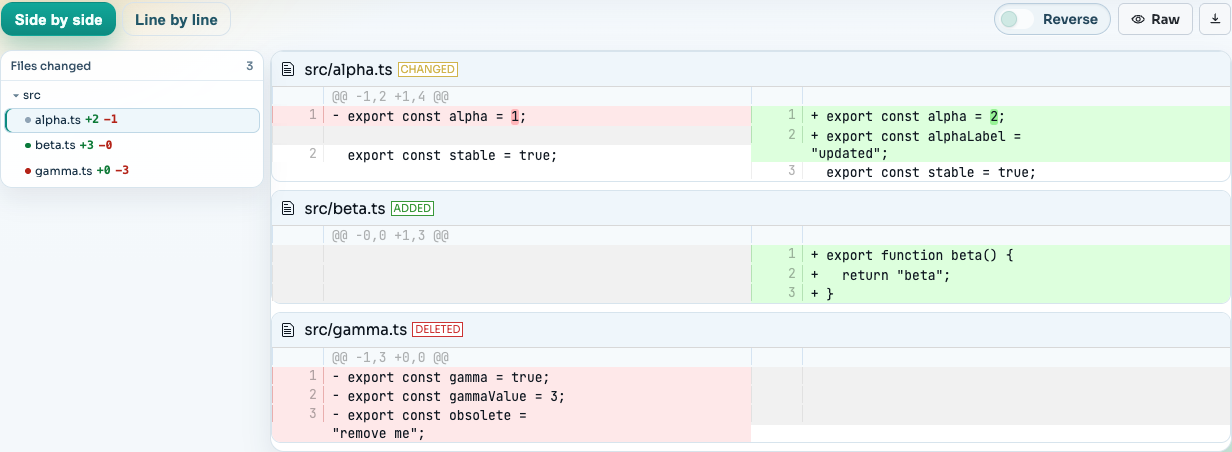
Two things are unusual: it understands git format-patch and mailing-list patches (subject, author, and series metadata are shown separately from the diff), and it can remove rebase noise from GitHub PR update diffs so a post-rebase push shows only what actually changed.
Best for: sharing a reviewable diff link, patch emails, and rebase-heavy PR reviews. Diffs are stored server-side to make links work, so it is not the pick for code that cannot leave your machine.
2. Diffy
Diffy is the minimalist option for sharing diff output. Paste a diff or upload a file, get a link. We tried it with a small retry-logic diff and had a rendered, shareable page in seconds:
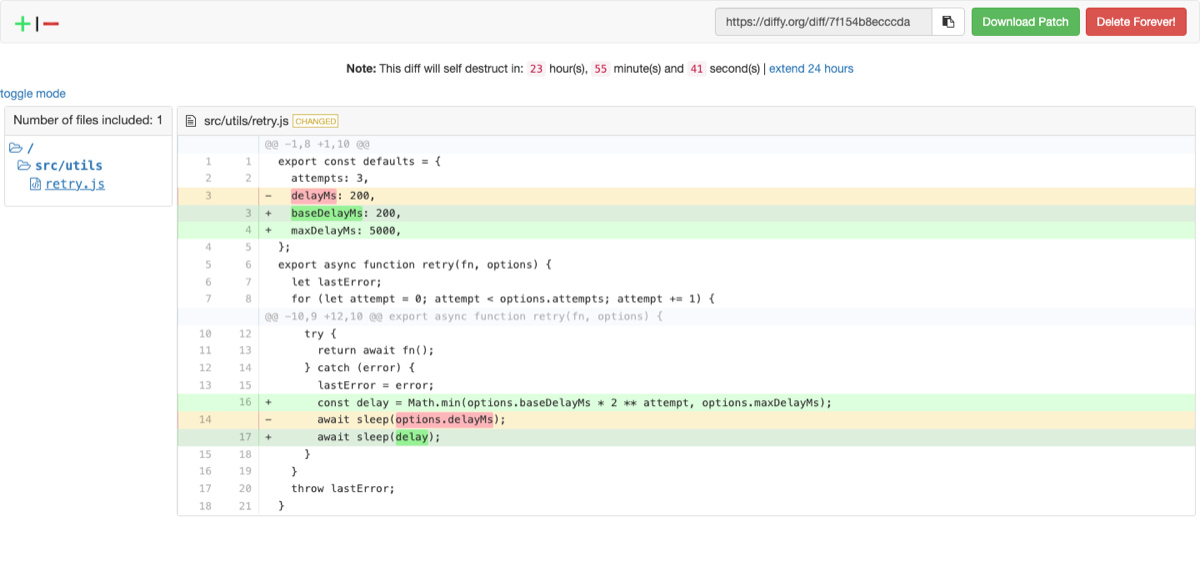
One thing to know: shared diffs self-destruct after 24 hours by default (you can extend the timer or delete a diff immediately), so links are ephemeral by design. There is very little UI beyond a file tree and a unified view, which is exactly its appeal.
Best for: the fastest possible paste-to-link flow when the link only needs to live for a day.
3. DiffForge
DiffForge renders pasted or uploaded diffs (up to 5 MB) entirely client-side — the site’s pitch is that your data never leaves the browser. It offers unified and side-by-side modes with word-level highlighting, and instead of hosted links it exports a self-contained HTML file you can attach or email.
Best for: private code. You get a polished shareable artifact without the diff ever touching a server.
4. diff2html
diff2html is an npm library and CLI rather than a hosted service. npm install -g diff2html-cli, then pipe a git diff at it and it opens a rendered view in your browser, with syntax highlighting via highlight.js. It is also the rendering engine behind many other diff tools, and its online demo can load a diff straight from a GitHub, GitLab, or Bitbucket pull request URL:
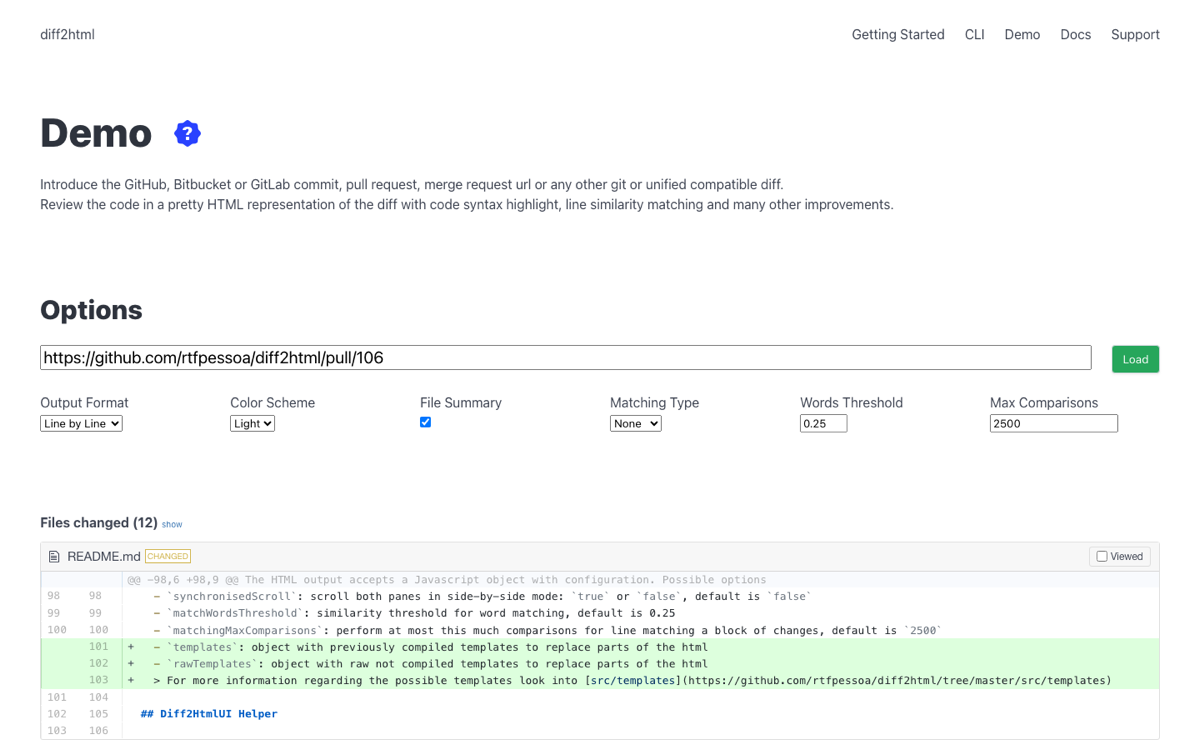
Best for: developers who want diff rendering inside their own scripts, docs, or tooling — or a local CLI-to-browser flow with no third party involved.
5. PatchViewer
PatchViewer is a single self-contained HTML file. Open the hosted page or save the file and use it fully offline — it makes no network requests at all.
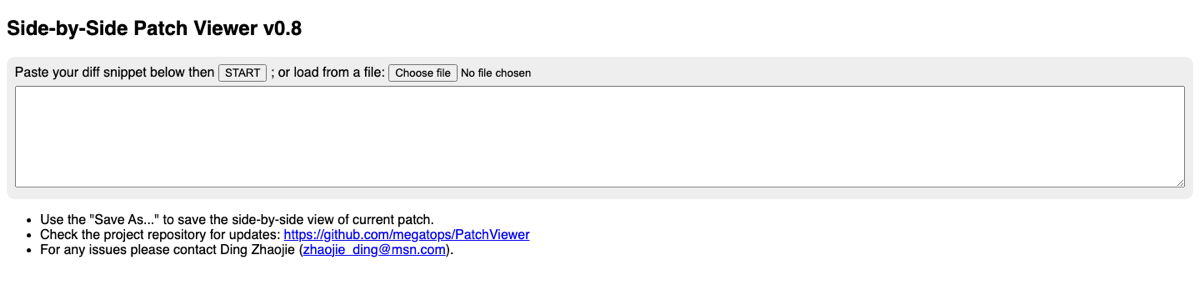
Best for: air-gapped or locked-down environments where even a client-side web app is a hard sell.
6. Scrapfly Patch Viewer
Scrapfly’s patch viewer is a free utility with syntax highlighting, side-by-side comparison, and file navigation. Processing happens locally in the browser.
Best for: a quick, no-signup local rendering with file navigation.
7. GitHub Gists
Not a diff viewer per se, but paste a .diff or .patch file into a gist and GitHub renders it with diff coloring. You get versioning, comments, and secret (unlisted) gists for free.
Best for: teams already living in GitHub who want comments on a shared diff. The rendering is basic — no side-by-side mode, and patch metadata is shown as plain text.
8. Diffchecker
Diffchecker compares two pieces of text, two files, or even PDFs and images. It is not patch-aware — you give it two versions, not a unified diff — but for “what changed between these two files” it is the most approachable tool on this list.
Best for: comparing two versions of something when you do not have a diff yet.
9. KW Online Patch/Diff Viewer
Knowledge Walls’ patch viewer is a simple paste-and-render utility for patch and diff files. No accounts, no extras.
Best for: a basic one-off rendering when you just need to see a patch quickly.
10. delta and difftastic
Two honorable mentions that live in the terminal rather than the browser: delta adds syntax highlighting, side-by-side mode, and navigation to git diff output, and difftastic diffs code by syntax tree instead of by line, which makes refactors dramatically easier to read.
Best for: your own daily git diff — pair one of these locally with a browser tool from this list for sharing.
How to choose
- Need to send someone a link? SharePatch, Diffy, or a GitHub gist.
- Code cannot leave your machine? DiffForge, PatchViewer, diff2html, or Scrapfly.
- Reviewing patch emails or
git format-patchseries? SharePatch is the only one here that preserves that metadata. - Comparing two files without a diff? Diffchecker.
- Making your everyday terminal diff nicer? delta or difftastic.
Most of these take under a minute to try with a diff you already have — git diff HEAD~1 HEAD > test.diff and see which rendering you actually want to read.